
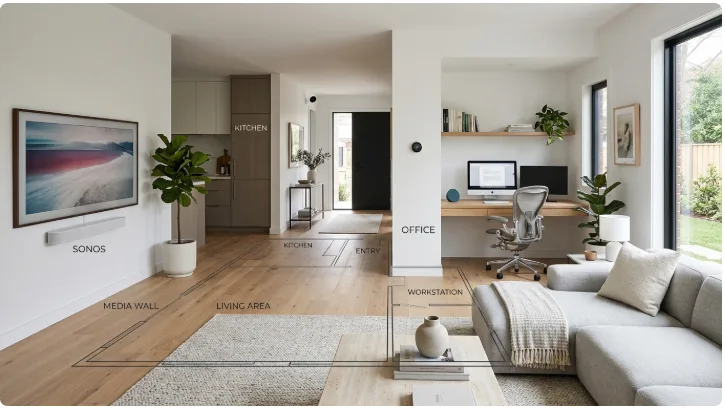
A home internet connection has to serve a lot more than a single computer these days.
A typical household may have laptops, phones, televisions, game consoles, smart speakers, cameras, tablets, printers, and other connected devices running throughout the day.
At the same time, people may be working from home, watching movies, playing games, attending online classes, or simply browsing the web.
That makes the physical layout of the home worth considering alongside its internet setup.
Start With the Rooms That Need Connectivity Most
Not every room needs the same level of connectivity.
A home office may depend on a reliable connection for video calls and large file transfers. A living room may have a television, streaming box, game console, and several mobile devices. A bedroom may only need basic wireless access.
Mapping these activities onto a floor plan gives you a clearer idea of where the important connection points are.
If you are still planning the house, a house floor plan design tool can help you experiment with room arrangements before deciding where workspaces and entertainment areas should go.

Think About the Home Office
For remote workers, the home office is no longer an occasional-use room.
It may be where someone spends most of their working day.
The location matters. A desk next to the busiest part of the house may lead to constant interruptions. A room at the far end of the home may be quieter but could have different connectivity requirements.
Furniture matters too.
A desk, chair, monitor, printer, storage, and other equipment can take up more space than expected.
Planning these items together makes it easier to create a workspace that feels comfortable rather than squeezed into whatever corner is left over.
Entertainment Areas Need Space Too
The living room is often the most connected room in the house.
A modern entertainment setup might include a television, sound system, streaming device, game console, and several controllers.
Instead of treating these devices as separate purchases, think about them as part of one area.
Where will the television go?
Where will people sit?
Where will the console and other equipment be stored?
Where will cables run?
Is there enough room to move around the furniture?
These are simple questions, but answering them early can prevent a lot of rearranging later.
Consider Where Network Equipment Goes
The best location for networking equipment depends on the property, equipment, construction materials, and required coverage.
However, the floor plan still provides useful context.
A router or other network equipment placed in a closed room at one end of a large house may have different coverage requirements from equipment positioned closer to the center of the home.
Larger homes may also require additional networking solutions.
The important thing is to think about coverage as part of the house rather than as an isolated piece of equipment.
Whole-Home Connectivity Starts With the Whole Home
A common mistake is to think only about the room where the router is installed.
But people use the internet throughout the house.
Someone may be on a video call upstairs while another person streams a movie downstairs. A child may be gaming in a bedroom while smart devices are operating elsewhere.
This is why it helps to look at the complete floor plan.
Marking major work and entertainment areas can provide a simple visual reference when discussing network coverage or equipment placement.
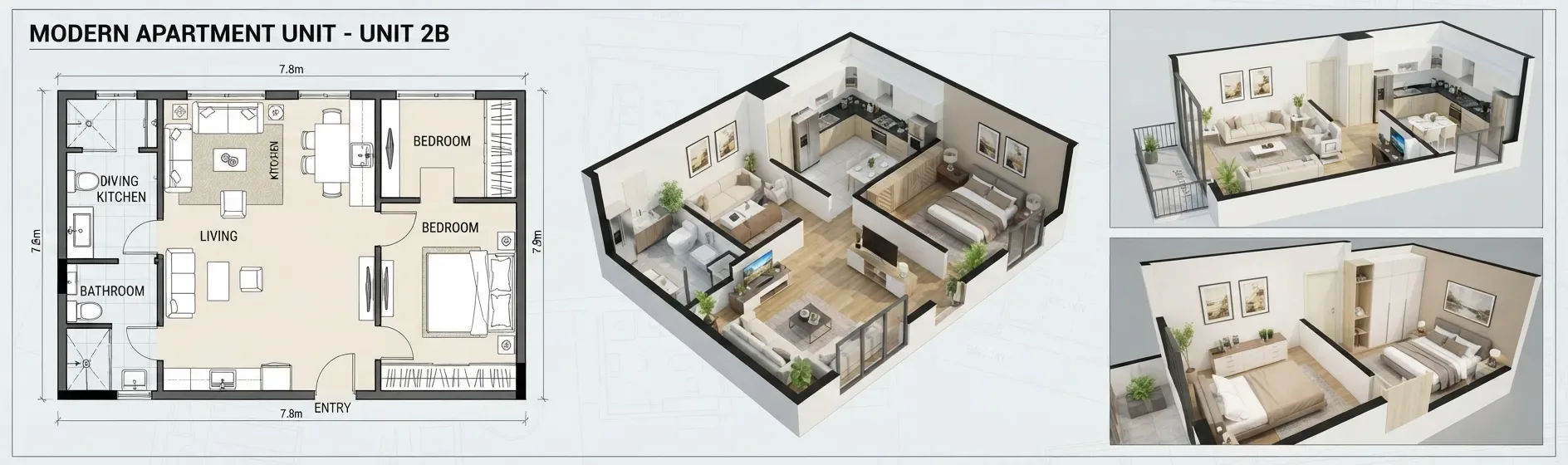
Open Floor Plans Need Some Balance
Open layouts can be great for shared living.
The kitchen, dining area, and living room can feel larger when they are connected.
But an open layout also means activities overlap.
Someone working at the dining table may hear the television. A person watching a movie may hear kitchen activity. Children may use the same area for homework, gaming, or online classes.
There is no universal solution.
The goal is to understand how the household uses the space and create areas that can support different activities without constantly getting in each other’s way.
Sometimes a separate office is worthwhile. In other cases, a flexible corner of the living area is enough.
Plan for Equipment, Not Just Rooms
Technology takes up physical space.
A television needs a wall or stand. A desktop computer needs a desk. A printer needs somewhere to sit. Networking equipment needs a practical location. Game consoles and accessories need storage.
If these things are considered only after the floor plan is finished, the result can be a room full of equipment with nowhere sensible to put it.
A few simple furniture blocks on a floor plan can prevent that.
Leave Room for Change
Technology changes faster than houses do.
A room that is used as a guest bedroom today may become a home office later. A television setup may eventually be replaced by a different entertainment system. A family may add more connected devices over time.
Flexible spaces can make these changes easier.
Instead of designing every room around one specific device, it can be useful to leave enough wall, floor, and storage space for future equipment.
Don’t Let Technology Take Over the Layout
Connectivity is important, but it should not become the only consideration.
A good home still needs comfortable places to sit, quiet areas, useful storage, natural light, and clear paths through the rooms.
Technology should fit into those spaces.
The best setup is often the one that works without being visually or physically intrusive.
Plan the Physical Space First
Internet service and networking equipment are important parts of a connected home, but they work within a physical building.
The location of rooms, walls, furniture, workspaces, and entertainment areas all affect how people use technology.
That is why looking at the entire home before making individual decisions can be useful.
A floor plan does not solve every networking problem. It simply gives you a better picture of the environment in which those problems need to be solved.
And when a home supports work, gaming, streaming, learning, and everyday life all at once, having that bigger picture can make planning much easier.